Share the mental load with Suggested Tasks
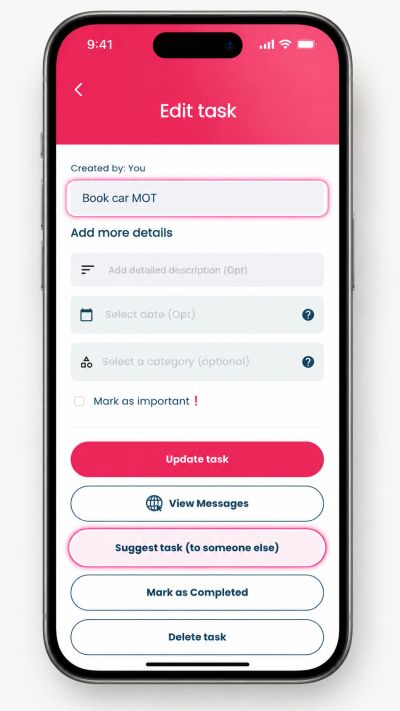
Love-a-List is more than a place to write down your own to-dos. With Suggested Tasks, you can suggest a task to someone you’re connected with, helping everyday jobs land in the right person’s list instead of being forgotten in a message thread.
Powerful Features
Whether it’s reminding your child to clean their bedroom, asking your husband or wife to pay the window cleaner, or suggesting that someone books the car MOT, Suggested Tasks help families, couples and friends stay more organised without relying on memory alone.
What are Suggested Tasks?
Suggested Tasks let you create a task and suggest it to another Love-a-List user you are connected with.
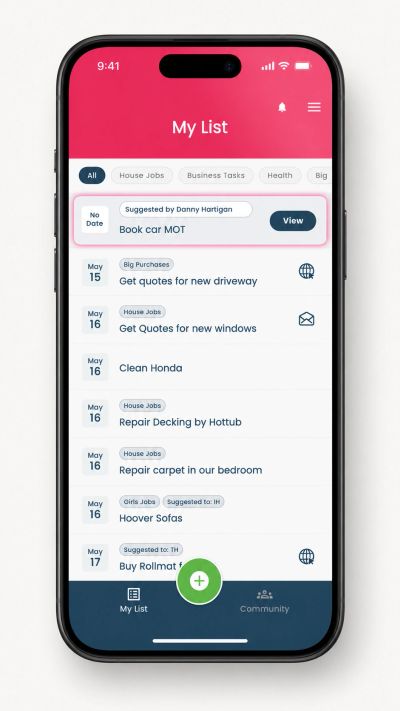
The recipient gets a notification, and the suggested task appears clearly at the top of their list. They can tap into it, view the details, and choose whether to add it to their own list.
Once they add it, it becomes their task to manage.
It’s a simple way to move useful reminders out of your head and into the place they are most likely to be actioned - someone’s to-do list.
Transform Your Life with Love A List
Why is it useful?
Everyday life admin is rarely just one person’s job
Families, couples and households often rely on one person remembering what needs doing, who needs to do it, and when it needs to happen.
That can quickly become tiring.
Suggested Tasks help reduce that mental load by making it easier to pass on a useful reminder in a structured way.
Instead of sending a message that might be read and forgotten, you can suggest a task that appears where it belongs: in Love-a-List.
Example tasks
- “Pay the window cleaner” - useful for couples managing household jobs
- “Clean your bedroom” - useful for parents helping children stay organised
- “Book the car MOT” - useful for family admin that needs to be remembered
- “Pack PE kit” - useful for school and weekly routines
- “Book the restaurant for Friday” - useful for plans with friends or family
Helpful, not controlling
Suggested Tasks are designed to help, not to track or monitor people.
When you suggest a task, the other person stays in control. They can choose whether to add it to their own list, ignore it, or delete it.
Once you suggest a task, you do not get visibility of what happens next. You cannot see whether the other person accepted it, edited it, completed it or deleted it.
That keeps Suggested Tasks useful without making them feel intrusive.
How Suggested Tasks works
1. Create a task
Start by creating a task in Love-a-List, just as you normally would.
You can include useful details such as:
- A task title
- A description
- A due date
- A due time
2. Suggest it to a connection
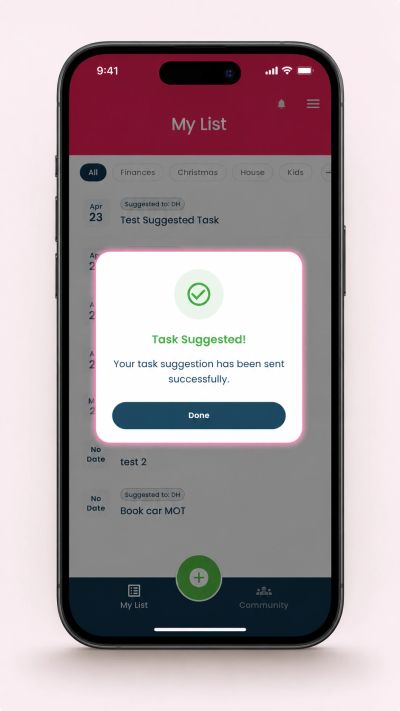
Once the task is created, you can suggest it to someone you are connected with in Love-a-List.
For example:
A husband might suggest “Pay the window cleaner” to his wife.
A mum might suggest “Clean your bedroom” to her child.
A family member might suggest “Book the car MOT” to the person who usually handles car admin.
3. Choose whether to keep it on your own list
After suggesting a task, you can choose whether to keep it on your own list or remove it.
Sometimes it makes sense to keep it.
For example, “Pay the window cleaner” might stay on both lists until one of you deals with it.
Other times, you may want to remove it from your list once it has been suggested.
For example, a mum may suggest “Clean your bedroom” to her child and then remove it from her own list because the task now sits with them.
4. The recipient gets notified
The person receiving the Suggested Task gets a push notification.
The task then appears clearly at the top of their Love-a-List, making it easy to notice and review.
They can open the task, read the details, and decide what to do next.
5. They can add it to their list
If the recipient taps “Add to my list”, the Suggested Task becomes a normal task on their own list.
The due date, time and description are copied across, but the recipient can edit them if needed.
The task then behaves like any other Love-a-List task. They can update it, complete it, delete it or manage it in the way that works for them.
The only difference is that the task includes a small label showing who suggested it, such as: Suggested by DH
How to create a connection
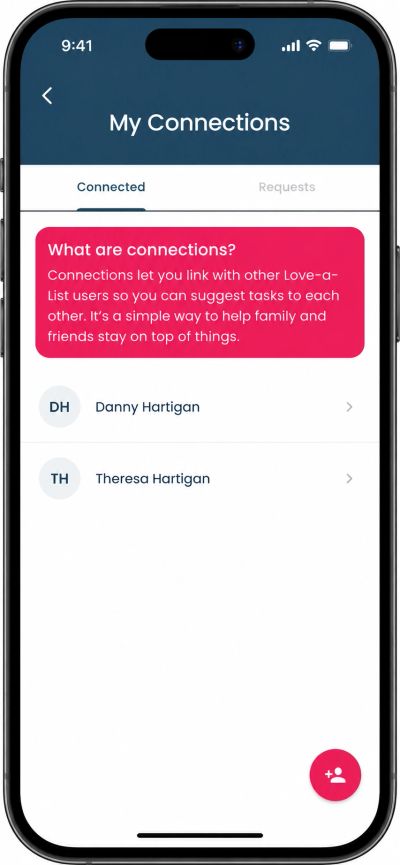
To suggest tasks to someone, you first need to be connected in Love-a-List.
Connections help make sure Suggested Tasks are only shared between people who have chosen to connect with each other.
Creating a connection is simple
- Open Love-a-List
- Select My Connections from the menu
- Search for the person by name
- Send them a connection request
- Once they accept, you can suggest tasks to each other
If the person is not already using Love-a-List, you can use the Invite a Friend option in the app to invite them to join.
Once they have joined and accepted your connection request, you’ll be able to use Suggested Tasks together.
Suggested Tasks are great for...
Couples
For the everyday things that one person remembers but another person may need to do.
Examples:
- Pay the window cleaner
- Call the plumber
- Book the car MOT
- Pick up school shoes
- Sort dinner for Friday
Parents and children
For useful reminders that belong on a task list, not buried in a message.
Examples:
- Clean your bedroom
- Pack PE kit
- Bring in the school form
- Charge your phone before tomorrow
- Choose what you need for World Book Day
Families and friends
For shared plans, reminders and small bits of life admin.
Examples:
- Book the restaurant
- Check train times
- Send holiday dates
- Order Mum’s birthday present
- Confirm who is bringing what
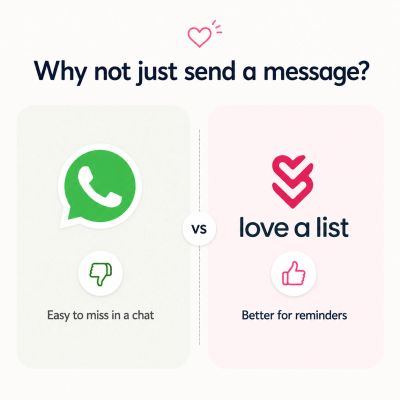
Why not just send a message?
Sometimes a message is enough.
But messages are easy to read, forget and lose in a busy chat thread.
Suggested Tasks are different because they sit in the place people already use to manage what needs doing.
They are not just a message. They are a task someone can choose to add, edit and complete in their own time.
Built for busy people
Love-a-List is designed for everyday life admin - the small but important things that take up space in your head.
Suggested Tasks make Love-a-List even more useful by helping you involve the right person without creating pressure, awkward tracking or endless reminders.
It’s a simple way to share the mental load and help more things get done.
Want to learn more about how Love-a-List helps busy people manage everyday life admin?
Read more about Love-a-List for people